How to Use HC11-Controller App - A simulated 68HC11 CPU for Handy Board systems

If you want to build your own controller device, you could leverage an Android device and the HC11-Controller app to simulate a Handy Board.

To use HC11-Controller, start by downloading the Android app to your Android smartphone.

Link to HC11-Controller for Android smartphones

HC11-Controller is a simulated HC11 CPU that might be helpful to the teacher, student, or hobbyist who wishes to develop and debug code for an 68HC11 CPU which is the CPU in a Handy Board.

Once you have the Android app downloaded to your Android smartphone, you will need to create a Handy Board program to run in HC11-Controller or on a Handy Board. To create an HC11 (Handy Board) program to run in HC11-Controller you will develop the program on another device such as a Window or Linux PC or laptop.


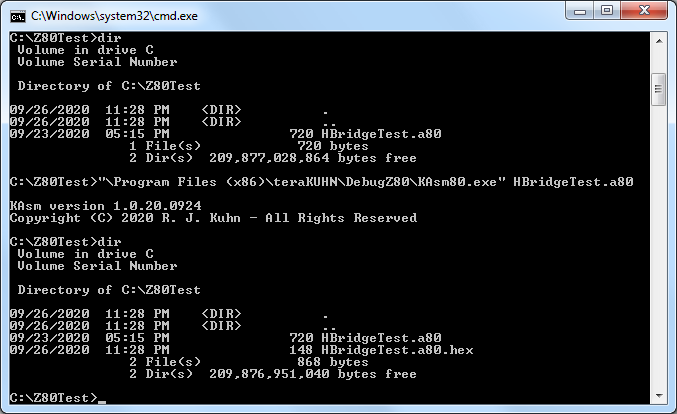
Compile and assemble code

KAsm80 command


If you're developing C code, you can use KCC which comes with Debug6811, or you might find other 68HC11 targeting C compilers on the internet. If using KCC, start by opening a command prompt. The command to run KCC from a command prompt will look something like this:

  KCC11.exe {source_file_name}.c {output_file_name}.a11

KCC will produce a *.asm or *.a11 file in the same directory as the *.c source file. Make a note of the path to the directory where this *.asm file is created.

If you're developing Pascal code, you can use KPC which comes with Debug6811, or you might find other 68HC11 targeting Pascal compilers on the internet. If using KPC, start by opening a command prompt. The command to run KPC from a command prompt will look something like this:

  KPC11.exe {source_file_name}.pas {output_file_name}.a11

KPC will produce a *.asm or *.a11 file in the same directory as the *.pas source file. Make a note of the path to the directory where this *.a11 file is created.

Then, you can use the KAsm11 assembler that comes with Debug6811 to generate a *.hex file from the *.a11 file. The command to run KAsm11 will look something like this:

  KAsm11.exe {source_file_name}.a11

KAsm11 will produce a *.hex file in the same directory as the *.asm or *.a11 source file. Make a note of the path to the directory where the *.hex file is created. That's the file that you will need to transfer to your Android device.

Note that while many 68HC11 development tools generate Motorola *.s19 style hex files, HC11-Controller only supports Intel *.hex style hex files at this time.


Load machine code

HC11-Controller HC11-Controller


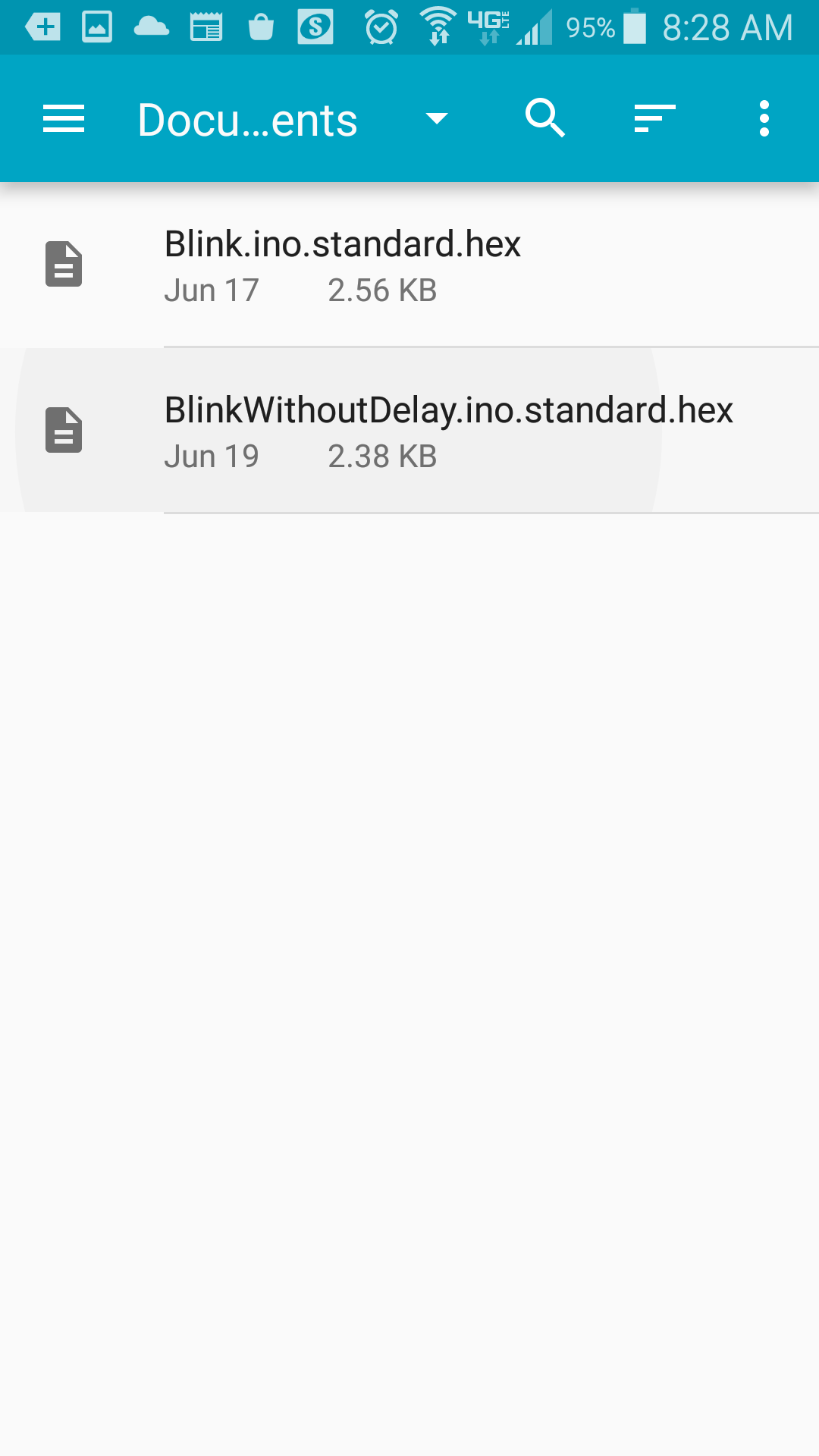
After installing HC11-Controller, compiling your program, and transfering the *.hex file to your Android, start HC11-Controller. You can then load the *.hex memory file into the simulated HC11s main program memory space. Load the *.hex memory file that has the machine code you want to run by loading it through the file open menu. In the upper right corner of HC11-Controller select the three dots (kebab menu). Then select 'File ...' and 'File Open'. From there select 'Other File' and your Android devices file navigation should open. Depending on how you uploaded your *.hex file to your Android device, you will typically find the file under Recent, Downloads, Documents, or possible under cloud storage or an SD device.


Run machine code

HC11-Controller


Once you've opened the HC11 (Handy Board) program stored in a *.hex file, you should be at the main HC11-Controller view.

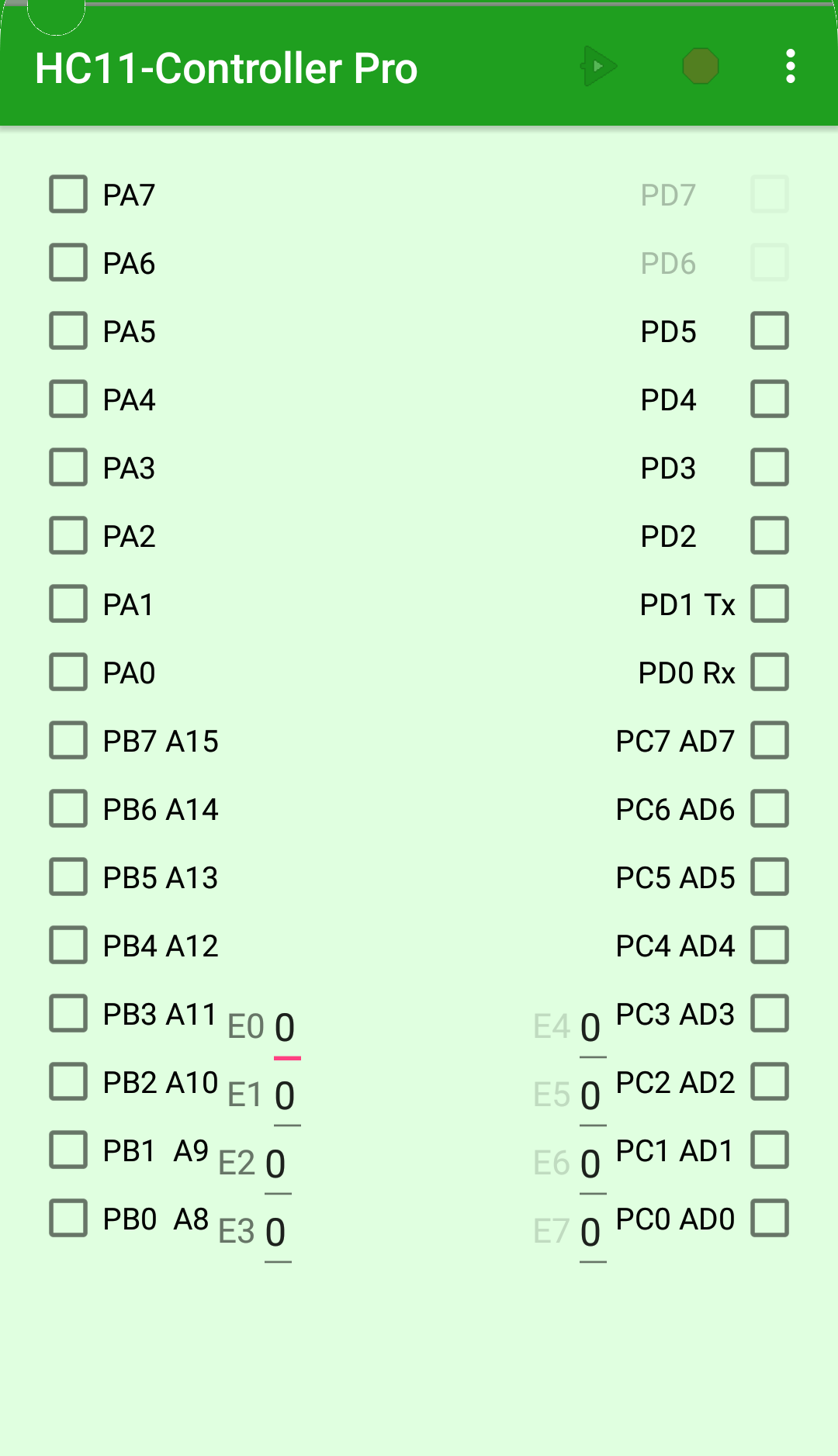
From the main HC11-Controller view, select Go/Run from the menu to execute the HC11 (Handy Board) program. The Go/Run command will run the code just like if you had uploaded it to a Handy Board. The window displays a simple representation of the Handy Board input and output pins. As your program runs the pins will be white or colored indicating the pin would be at 0 volts or 5 volts. If the program is designed to run forever, you can stop it by selecting Stop from the menu.

Digital outputs will show bits that are on as colored buttons and bits that are off as white buttons. Digital inputs can be clicked on to toggle between if the input is on (colored) or off (white). Clicking on a bit configured as digital output will not change it's state. Analog inputs are controlled by entering a numerical value. Buttons that are grey are there to represent pins that you would see on a Handy Board board. Any text that the Ardunio is programmed to send to its serial output port will show up in a simulated 5 line LCD display below the digital and analog controls.

With HC11-Controller Pro, digital outputs from pins A6-A7 and pins D2-D7 will also be real outputs on a USB to parallel port adapter if you wire up the Advanced latch circuit . Specifically Handy Board pins A6-A7 are mapped to parallel pins D6 through D7, and Handy Board pins D2-D7 are mapped to parallel pins D0 through D5. Note that you need the latch circuit since HC11-Controller simulation can not pulse real output pins fast enough for a PWM circuit to work. In this way you could use HC11-Controller to act as a substitute for a Handy Board to control real electronics.

Further, in addition to output, in HC11-Controller Pro, the simulated 68HC11 ADC ports allow you to sample Android sensor inputs if you are running on an Android device with light, pressure, proximity, relative humidity, or temperature sensors.

Link to HC11-Controller for Android smartphones


teraKUHN solutions
Hardware Setup Phone Control System Hardware Abstraction Development Tools
Smartphone Controller
(with PWM or advanced latch circuit)
USB-Controller teraKUHN IO System (KIOS) Debug Z80 KCC80 KPC80
Smartphone Controller
(with advanced latch circuit)
AVR-Controller C & C++ coding abstraction macros Debug AVR Arduino C++ KPCAVR
Arduino Controller
.
N/A C & C++ coding abstraction macros Debug AVR Arduino C++ KPCAVR
Smartphone Controller
(with advanced latch circuit)
HC11-Controller none available Debug 6811 KCC11 KPC11


Here are some architecture characteristics that can be demonstrated by these two control solutions. These differences can be used for teaching processor and microcontroller concepts.

control solutions
Z80 custom with KIOS AVR Arduino
CISC RISC
von Neumann architecture Harvard architectures
Run-time software abstraction layer Compile time coding abstraction macros
custom electonics board pre built Arduino board


Copyright (C) 2026 R. J. Kuhn. Please note that you are not allowed to reproduce or rehost this page without written permission.

Flag Counter